
athena Integration
Overview
PicassoMD offers an integration with athenaClinicals EHR that:
- enables athenaClinicals users to start a curbside from within a patient record on athena
- pulls the patient information from athena and pre-populates it for the curbside
- automatically adds the curbside transcript to the patient record after the curbside is completed

Requirements for use
- Practice must use athenaClinicals as their EHR
- Practice’s administrator must have complete athena’s Authorization Form
- After completing the form it takes up to 5 business days to activate the integration
- Only registered providers can start a curbside - if a Referral Coordinator or Practice Administration attempts to start a curbside they will receive an error message
Usage Guide
- Starting a curbside from within athena
- The link to “Start a PicassoMD Curbside” can be accessed from the patient’s chart by clicking on the menu in the upper right and then selecting “Third party applications”
- If the “Start a PicassoMD Curbside” link is not visible then the integration has not been installed (see above)
- The link to “Start a PicassoMD Curbside” can be accessed from the patient’s chart by clicking on the menu in the upper right and then selecting “Third party applications”
- The integration will pull the patient’s information from their chart
- First name
- Last name
- DOB
- Gender
- Phone number
- Home address
- Insurance carrier will attempt to match the insurance plan from athena to one of the insurance carriers in PicassoMD - if it cannot be matched we display the value from the athena (e.g. CareFirst Federal Employees Gold) and the user can select from PicassoMD's list of insurance carriers
- Insurance ID number
- If your practice requires any patient details before starting a curbside, those data fields will be displayed for the user to confirm and edit prior to starting the curbside
- After the curbside is completed and a "plan after curbside" has been selected by the initiating provider, the PDF transcript will be added to the patient’s chart as a “Clinical Document” with the name “consult note”
- It will be available in the Recent Activity section of the patient’s chart as well as in the Documents section of the patient's record
- The document will be “auto closed,” meaning it will not require someone at the practice to review it
-
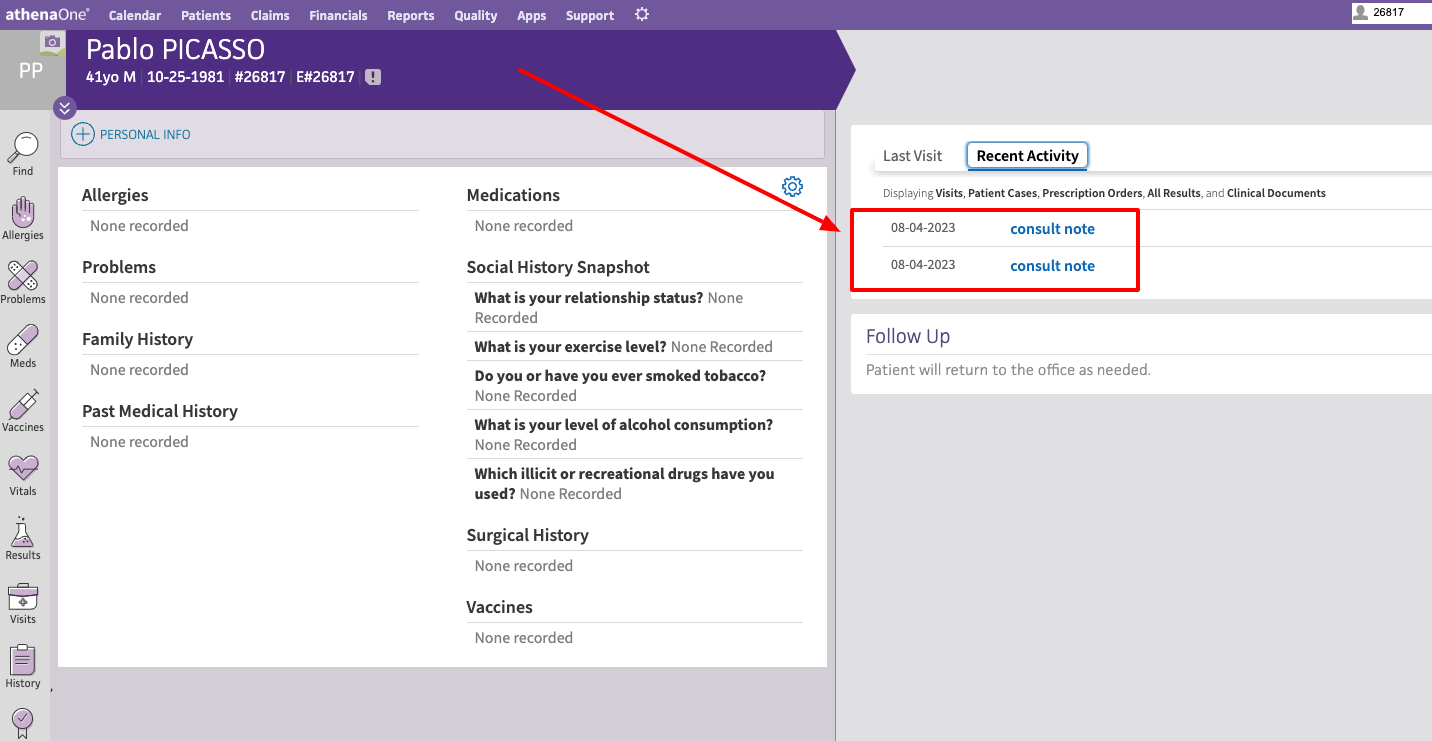
The PicassoMD curbside transcript will be added to the patient chart after the curbside has been completed
